
The problem
AI chat tools can write a working physics simulation or a vocabulary game in a minute. What a teacher gets is a block of HTML: it won’t open from Google Drive, can’t be posted to Google Classroom and is lost the moment the chat is closed. Good ideas stayed with the one teacher who had them.
What I built
- Paste, preview, publish. The activity gets its own link, a QR code and a Google Classroom post; students open it without signing in.
- A sandbox for every activity: each runs in a sealed frame with no access to the hub, its sign-in or other activities.
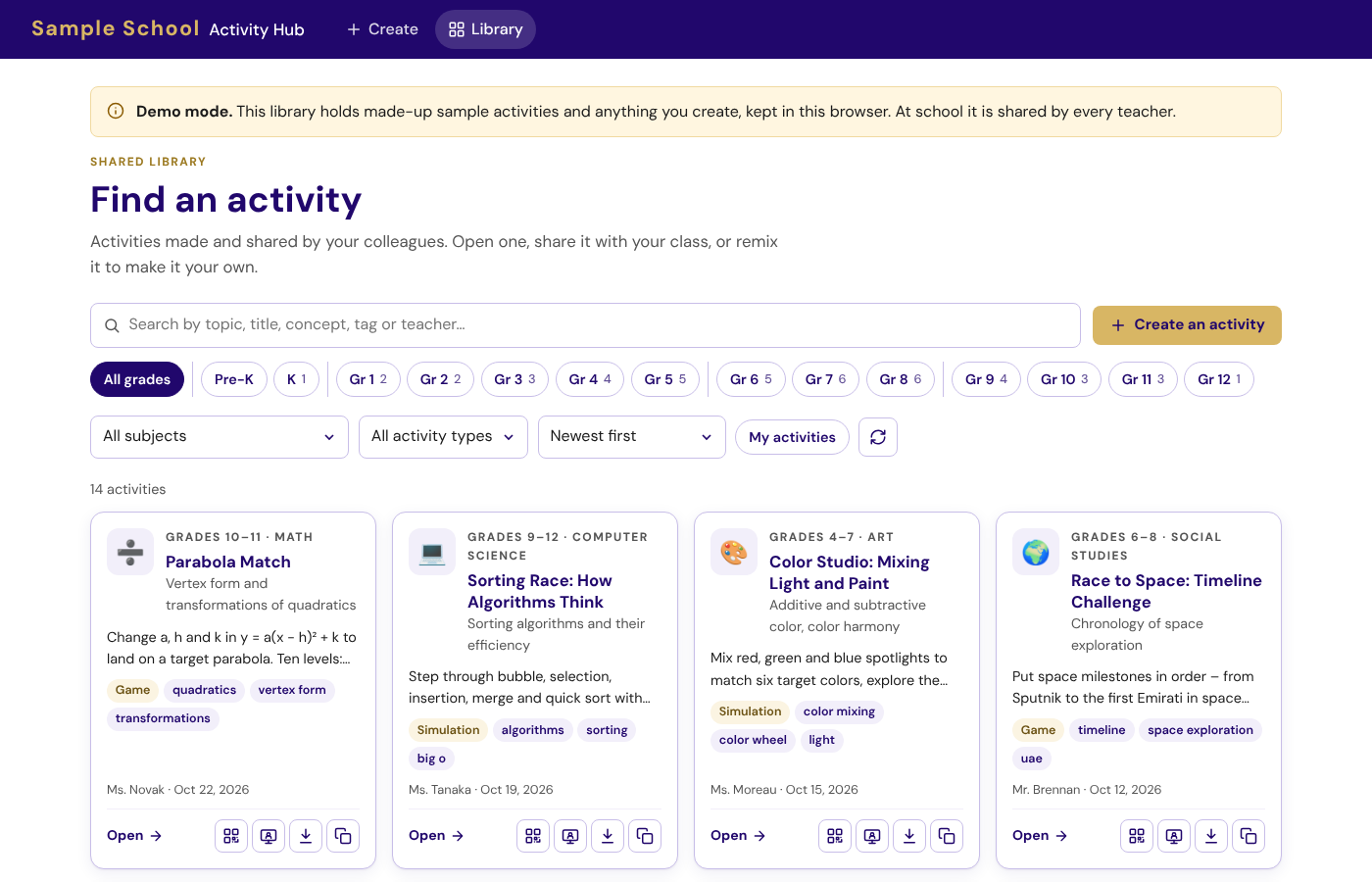
- A shared library to search and filter by grade, subject and type, with suggested tags (only the activity’s text is sent, from the server, within a daily limit) and a remix button that copies a colleague’s activity to adapt.
What it says about AI in teaching
The hub doesn’t generate anything itself. It treats AI as one of a teacher’s tools: the teacher asks, judges, adapts and decides what reaches students – and the library lets the best results travel to colleagues.
Thirteen teachers in seven subjects published activities in the hub’s first weeks.
Rollout
It began on Google Apps Script and a Sheet, and moved to the school’s database on 24 October 2026 with every old link and QR code still working. For the samples site I wrote fourteen activities across nine subjects, each checked by an automated test that does one thing a student would.
What I’d do next
A short “check before you publish” step – accuracy, accessibility, age-appropriateness – and a count of how often each activity is opened in class, so the library shows what students actually use.